For our second prototype game, we were tasked to create a ‘Space Invader’ clone. My game is based on people feeding bread to pigeons. The basis of my game is that the player is a person throwing bread to stop the pigeons from attacking the player. The sprite shown on the left is a sprite that I designed of a pigeon that will be used as the enemy in the prototype.

As stated previously, the player for the ‘Space Invader’ clone will be a human. So during the process of creating the player sprite, I decided to create a plain design of a man. To ensure that the player isn’t too dull, I made it so that the player’s arm was lifted up at an angle so that it appears that he is throwing something.

In addition to the player and enemy sprite, I needed to create a projectile that the player is able to use to defend themselves from the enemy. For this, I designed a sprite that looks like bread.
As the prototype feels incomplete without the player being able to take damage, I decided to add an extra feature to the game in which the player has lives and is able to die. As this is the case, I needed to create sprites for the health system which includes assets for full health and no health.
Rather than creating health sprites that are simply hearts, I wanted to create something a little different. As shown in the images below, I used the original player sprite and by using the bucket tool, I was able to quickly colour the sprite all black. This way, I am able to swiftly produce a heart sprite and add it as an overlay over the player. By making the player all black, this also allows me to conduct the silhouette test onto the player sprite to test whether or not the design of the player is too simple or too complicated.
Although some of the details of the player’s outfit is lost due to the silhouette, I am still able to see a clear outline of what the player looks like, so I am quite pleased with the design. I think that I could still improve sprite as it does appear as though the player is saluting and not throwing something; therefore, I believe that in order to improve, I would alter the arm of the player.


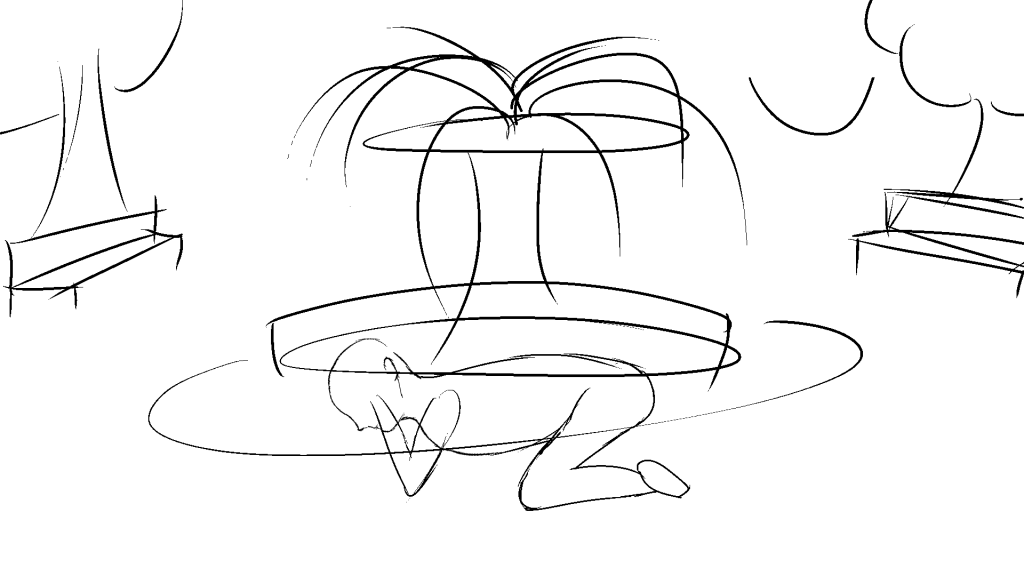
Once the basic sprites had been finalised, I decided to work on an end game background for my prototype. The above image is the rough sketch that I made on Clip Studio Paint. My initial design for the background follows the story of the prototype of the pigeon attacking the player. As the player eventually ends with no health and loses, the pigeons finally reach the player and attacks the player for their bread.
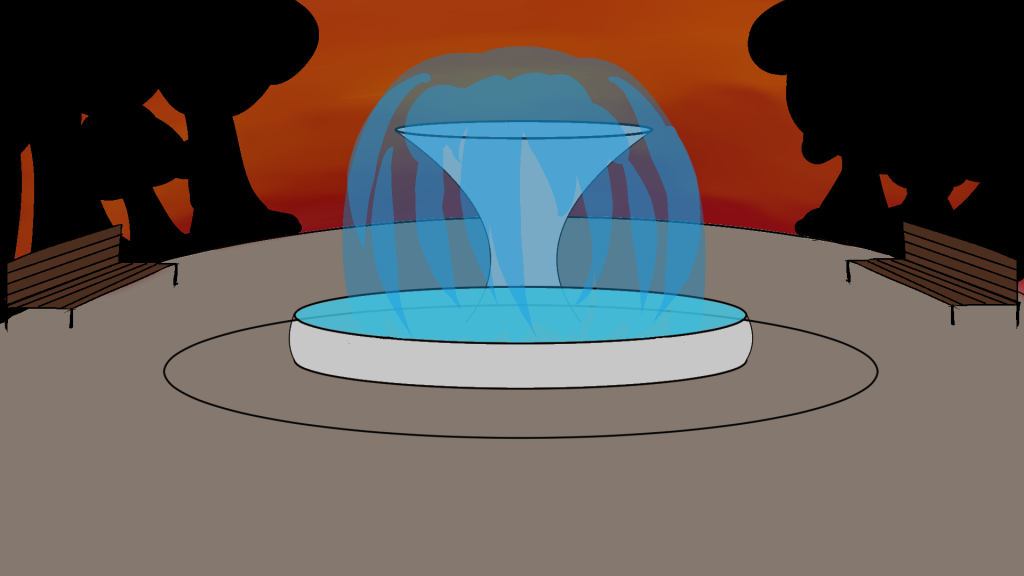
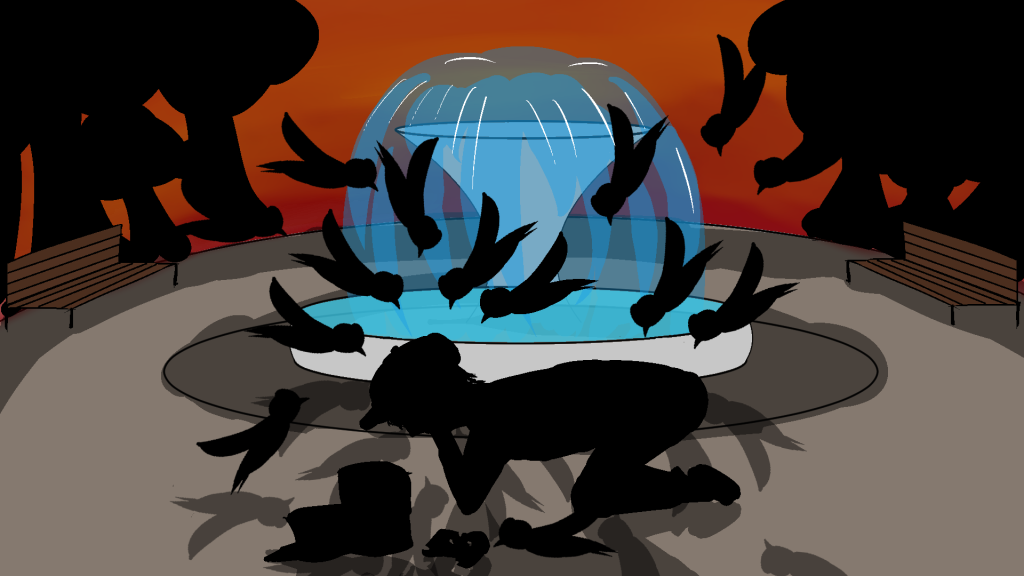
The idea behind the colour scheme for the background was that the base colours were to be warm colours, followed by some objects visible and others created as silhouettes. I believe that the silhouette of the player being attacked is more suitable than a clear image, because I was able to experiment with the switch between the player in pixel art form and regular digital art.
In the end, I created two backgrounds one with the player and pigeon and the other without. Originally, the game background was supposed to be implemented into the prototype game; however, due to the colour scheme of the enemy, player and background, it was difficult to see the player and the pigeons.
Furthermore, I was also able to experiment with the different warm hue colours to create the sunset in the background. In order to produce the sunset, I used the default paintbrush tool and selected the different orange shades and blended them together with the blend tool. I ensured not to over blend as this would result in one solid colour and I did not want that as I wanted a smooth gradient between the warm orange colours.
As for the fountain, I used the default paintbrush tool and selective a light blue and lowered the opacity to create the effect that the water was slightly transparent. I also added thin strokes of white highlights to make it appear as though light was being reflected from the water. In addition, as the pigeons were already filled in black as they are silhouettes, I was easily able to produce a copied layer and use them as shadows once the opacity was lowered and the layer was flipped.
Improvements
I believe that I could have created a different background for the main game as the colour scheme clashed with the sprites of the enemy and the player. As the player’s health was displayed in the corner of the screen, it was difficult to see them as they were black which blended in with the trees of the background. In the future, I will ensure to plan a colour palette that does not clash with the each other before creating the artwork.
Final Thoughts
Overall, I am quite satisfied with the outcome of the assets and the background created for my prototype game. I enjoyed experimenting with creating silhouettes for my sprites and attempting to produce digital art as well as pixel art.